How to Write YouTube Scripts with AI: A Complete Guide
Writing a YouTube script used to mean staring at a blank page for an hour before you filmed a single second of footage. Today, AI has changed that timeline completely. Creators who once spent half a day outlining and drafting a video can now go from idea to a polished, hook-driven script in under thirty minutes.
This guide walks through exactly how to use AI to write YouTube scripts that keep viewers watching, the workflow that separates a script that feels robotic from one that sounds like you, and the tools worth adding to your process if you’re serious about publishing consistently.
Why AI Scriptwriting Works for YouTube Specifically
YouTube scripts aren’t like blog posts or essays. They need to hook a viewer in the first five seconds, maintain pacing that matches spoken delivery, and build in natural pauses, questions, and callbacks that keep watch time high. That’s a very specific structure, and it’s exactly the kind of pattern-based writing that AI tools have gotten remarkably good at replicating when guided correctly.
The key word there is “guided.” AI doesn’t replace your voice or your expertise — it removes the blank-page problem and the repetitive structural work, so you can spend your energy on the parts that actually require a human: the hook, the personality, and the specific insight only you can bring.
The Core Workflow: From Idea to Script
1. Start with a Clear Video Goal, Not Just a Topic
Before opening any AI tool, define what the video needs to accomplish. “A video about productivity apps” is a topic. “A video that convinces freelancers to switch from sticky notes to a task manager, using my own before/after story” is a goal. AI tools produce dramatically better scripts when given a specific angle rather than a vague subject.
2. Feed the AI Context, Not Just a Prompt
The biggest mistake creators make is typing a one-line prompt and expecting a finished script. Instead, give the tool:
- Your target audience (beginners? experts? a specific niche?)
- The tone you want (casual, authoritative, funny, dramatic)
- Key points or data you want included
- The approximate video length
The more context you provide, the less editing you’ll need to do afterward.
3. Generate a Structural Outline First
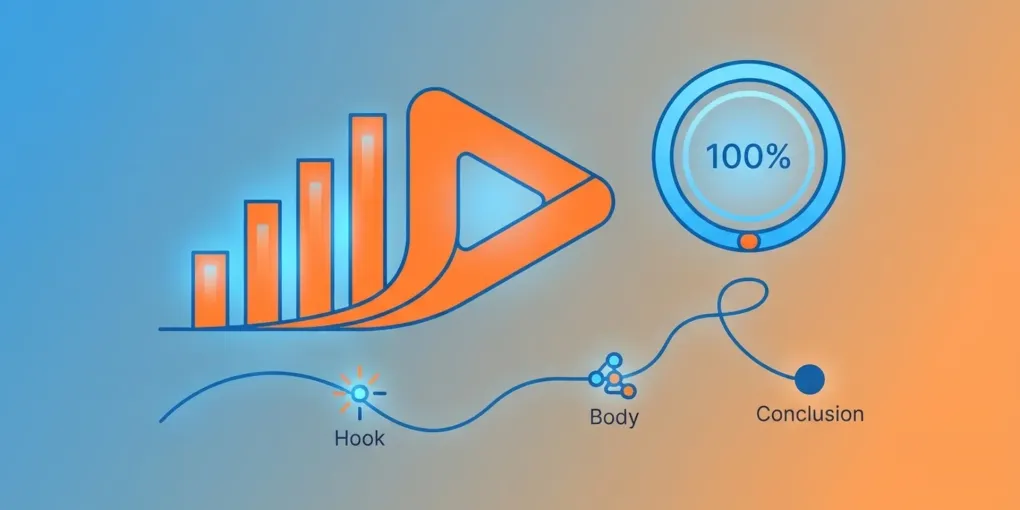
Rather than asking for a full script immediately, ask the AI for a beat-by-beat outline: hook, problem, solution, proof, call to action. Reviewing and adjusting an outline takes two minutes and saves you from having to restructure a full script later.
4. Draft in Sections, Not All at Once
Generate the hook first and refine it until it genuinely grabs attention. Then move to the body, then the outro. Scripts generated in one massive block tend to lose pacing and repeat phrases; sectioned generation keeps each part sharp.
5. Edit for Your Voice
This is the step creators skip, and it’s the one that matters most. Read the script out loud. Anywhere it doesn’t sound like something you’d actually say, rewrite it. AI is excellent at structure and pacing; it’s not you, and viewers can tell the difference between a script that was polished by a human and one that was published as-is.

Where a Dedicated Tool Like TubeMagic Fits In
General-purpose AI chatbots can write a script, but they’re not built specifically for YouTube. They don’t know retention patterns, they don’t optimize for spoken pacing automatically, and they won’t flag where a section is likely to lose viewers.
This is where a YouTube-specific tool changes the workflow. TubeMagic is built around exactly this use case — generating and optimizing scripts specifically for video performance, rather than general text output. Instead of writing a prompt from scratch every time, you get a structure already informed by what tends to keep people watching, which you then personalize in the editing pass described above.
For creators publishing multiple videos a week, that structural head start is often the difference between scripting being a bottleneck and scripting being a twenty-minute task.
👉 Try TubeMagic and see how it speeds up your scripting workflow.
Common Mistakes When Using AI for Scripts
Publishing the first draft. AI output is a starting point, not a finished product. Scripts that go straight from generation to camera almost always sound stiff on camera.
Ignoring pacing for spoken delivery. Written English and spoken English are different. Read every script aloud before filming — sentences that look fine on a page often feel clunky out loud.
Skipping the hook rewrite. The first five to ten seconds matter more than any other part of the video. Don’t accept the AI’s first hook attempt; generate three or four variations and pick — or blend — the strongest one.
Using the same structure every time. If every video follows an identical AI-generated template, your content starts to feel formulaic. Vary your outlines and inject unique angles so your channel doesn’t sound interchangeable with anyone else using the same tools.
Forgetting a clear call to action. AI-generated scripts sometimes trail off without a strong close. Always end with a specific, single next step for the viewer — subscribe, comment, click a link — rather than a vague sign-off.
A Simple Weekly Script Workflow
For creators publishing 2-3 videos a week, here’s a repeatable structure that keeps quality high without burning hours:
- Monday: Brainstorm and lock in video goals for the week (not just topics)
- Tuesday: Generate outlines for all videos in one sitting
- Wednesday: Draft full scripts section by section, using a dedicated tool to speed up structure
- Thursday: Read scripts aloud, edit for voice, finalize hooks
- Friday: Film
Batching each stage — rather than writing one script start-to-finish before moving to the next — keeps your brain in the right mode for each task and noticeably speeds up the whole process.
Frequently Asked Questions
Will an AI-written script sound robotic on camera? Only if you skip the editing pass. AI is excellent at structure and pacing, but the final read-aloud edit — where you adjust phrasing to match how you actually talk — is what keeps a script sounding natural.
Do I need a YouTube-specific AI tool, or can I just use a general chatbot? General chatbots can absolutely write scripts, but tools built specifically for YouTube tend to produce output already shaped around retention and pacing patterns, which cuts down on the editing you need to do afterward.
How long should a YouTube script actually be? As a rough guide, spoken word count runs about 130-150 words per minute. A 10-minute video typically needs roughly 1,300-1,500 words of script, though pacing and pauses will shift that in practice.
Can AI help with video titles and thumbnails too, not just scripts? Yes — many AI scriptwriting tools, including TubeMagic, also help generate title variations and hook concepts, since the opening line of a script and the title/thumbnail combination work together to earn the click and the watch time.
Is it worth paying for a dedicated AI scriptwriting tool if I’m just starting out? If you’re publishing consistently — even once a week — the time saved on structure and outlining usually pays for itself quickly, especially with tools offering free trials or entry-level plans to test the workflow first.
Final Thoughts
AI hasn’t replaced good scriptwriting — it’s removed the slowest, most repetitive part of it. The creators seeing the biggest time savings aren’t the ones blindly publishing whatever the AI generates; they’re the ones using it to handle structure and pacing, then spending their saved time on the hook, the personality, and the edit that makes a script sound like them.
If scripting has been the bottleneck slowing down your upload schedule, it’s worth testing a dedicated tool built for the format.
👉 Get started with TubeMagic here and see how much time it saves on your next video.
Want more tools like this? Check out my full toolkit of resources for content creators and digital entrepreneurs.